Research-based guide: built from published manufacturer specifications and official standards documentation. We do not run hands-on lab tests, and we do not claim to.
Disclosure: Smart Home Tech HQ earns nothing from the links in this guide. There are no affiliate links here, and no brand paid for placement.
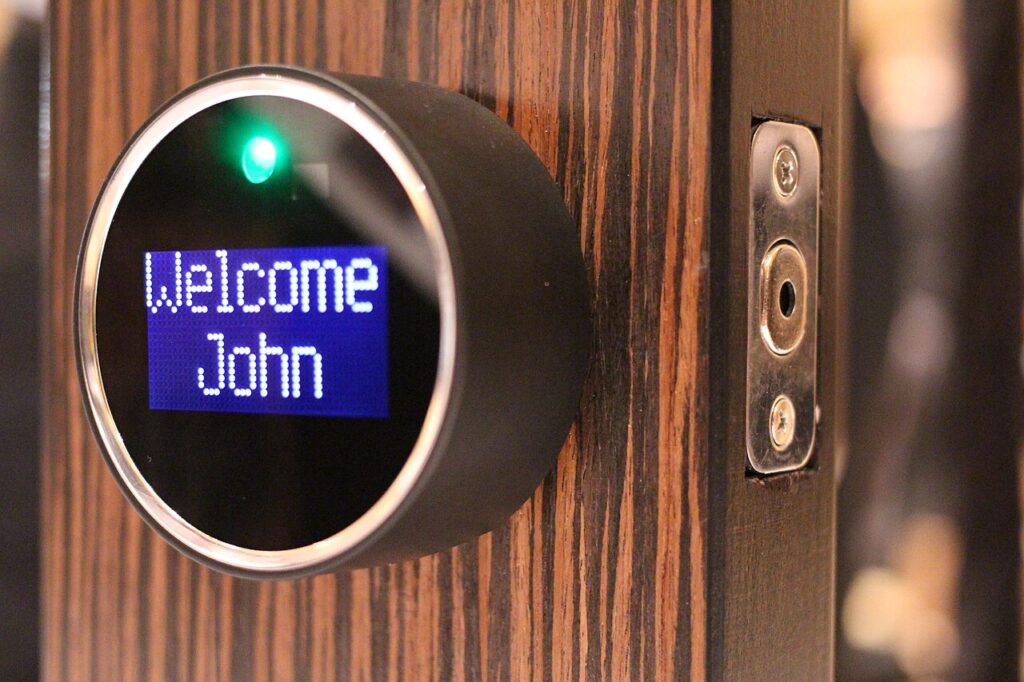
Photo via Wikimedia Commons
By Muhammad Haroon · Last Updated: November 8, 2026 · Originally Published: October 26, 2026
Why You Can Trust This Guide (Zero Affiliate Links, Zero Hype)
Most smart home review sites earn an affiliate commission when you click their links — which means recommending a $300 device pays them more than recommending a $15 fix. SmartHomeTechHQ is 100% free of affiliate links and sponsorships. We don’t claim fake lab tests or use pushy live-price widgets. Instead, we use rounded planning estimates ($130, $200, $300) and do the honest spec and trade-off homework for you — checking whether a device requires a hidden $50 hub, locks basic features behind a monthly subscription, demands house rewiring, or fails to pair on standard 2.4GHz/5GHz home Wi-Fi.
Quick answer
A smart lock replaces or upgrades your deadbolt so you can lock and unlock with a code, a fingerprint, a phone, or a key. For most beginners, the right first lock is a keypad model that fits your existing deadbolt, works with the voice assistant you already use, and still opens with a physical key. Check your door measurements and deadbolt type before you buy, because fit matters more than features. See more beginner picks in the Buying Guides section.
Smart locks compared
| Lock | Entry methods | Connectivity | Price band | Best for | Renter-Safe? |
|---|---|---|---|---|---|
| August Wi-Fi Smart Lock (4th Gen) | App, existing key, optional keypad | Built-in Wi-Fi, Bluetooth | About $200 (planning estimate) | Renters and retrofit installs No Monthly Fee | Yes — retrofit, keeps existing keys |
| Yale Assure Lock 2 | Keypad or touchscreen, key, app | Bluetooth standard; Wi-Fi or Matter via separate module | About $200 to $260 (planning estimate) | Households that want to add connectivity later No Monthly Fee | Ask landlord — full deadbolt replacement |
| Schlage Encode Plus | Keypad, key, Apple Home Key, app | Built-in Wi-Fi, Bluetooth, Thread | About $280 to $330 (planning estimate) | Apple Home households that want tap-to-unlock No Monthly Fee | Ask landlord — full deadbolt replacement |
| Ultraloq U-Bolt Pro | Fingerprint, keypad, app, key | Built-in Wi-Fi, Bluetooth | About $170 (planning estimate) | Fingerprint-first households on a mid-range budget No Monthly Fee | Ask landlord — full deadbolt replacement |
| Kwikset Halo Touch | Fingerprint, keypad, key, app | Built-in Wi-Fi | About $180 (planning estimate) | Simple fingerprint and keypad setup No Monthly Fee | Ask landlord — full deadbolt replacement |
| Eufy Smart Lock C220 | Fingerprint, keypad, key, app | Built-in Wi-Fi | About $130 (planning estimate) | Lowest-cost fingerprint option No Monthly Fee | Ask landlord — full deadbolt replacement |
True 3-Year Cost: a smart lock’s real price is Hardware + Hub ($40–$69, only if a separate Wi-Fi bridge or hub is needed — most locks in the table above have Wi-Fi built in) + Subscription ($0–$360 over 3 years). Most smart locks charge no monthly fee for basic locking and codes; only optional premium features cost extra. Every pick in the table below is marked No Monthly Fee because core locking needs no plan.
Price bands above reflect ranges shown in published 2026 roundups, including a 2026 smart lock comparison and a comparison of leading models. Prices change often, and some features need a module sold separately, so check the exact model’s listing and manufacturer page before you buy.
What $130, $200, and $300 actually buys
Around $130 (planning estimate): a fingerprint and keypad lock such as the Eufy C220, with built-in Wi-Fi and no hub. You get the core keyless experience, but check the platform support carefully, because budget models often support Alexa and Google Home and not Apple Home.
Around $200 (planning estimate): the sweet spot for beginners. The August Wi-Fi lock retrofits over your existing deadbolt, keeping your keys and your exterior hardware, while the Yale Assure Lock 2 gives you a full keypad deadbolt with a modular radio bay, so you can add Wi-Fi or Matter later instead of replacing the lock.
Around $300 and up (planning estimate): premium build and platform features, such as the Schlage Encode Plus with Apple Home Key tap-to-unlock on a Grade 1 deadbolt. Above this range you are paying for build quality, extra entry methods, and deeper platform integration, not for basic locking.
First, check your door
Most beginner returns happen because the lock does not fit the door, not because the lock is bad. Work through these checks before ordering, using guidance from a no-drill compatibility guide and a door-compatibility guide.
1. Do you have a single-cylinder deadbolt? A keyhole outside and a thumb-turn inside is the standard setup that retrofit locks are made for. A keyhole on both sides, a double-cylinder deadbolt, is not compatible with most retrofit models.
2. Measure the backset and door thickness. The backset is the distance from the door edge to the center of the lock hole, usually 2-3/8 inches or 2-3/4 inches. Most smart locks support doors about 1-3/8 to 1-3/4 inches thick. Measure both, then compare them with the model’s spec sheet.
3. Check clearance inside. A retrofit lock adds a bulky unit on the inside of the door. Make sure it clears nearby trim, a screen door, or a storm door, and that the door still swings freely.
4. Retrofit or full replacement? A retrofit lock, such as August, keeps your existing deadbolt and keys and is the easiest to reverse, which matters for renters. A full-replacement lock, such as Yale or Schlage, changes the exterior hardware and gives you a keypad or fingerprint reader on the outside, but needs landlord permission in a rental.
What you need
- The smart lock, with its mounting plate, screws, and adapters, in the box
- A Phillips screwdriver, and a tape measure for the backset and door thickness checks
- A phone running the lock maker’s app, on your home Wi-Fi
- Fresh batteries: most locks use four AA batteries, while some use other sizes, so check the model before you buy spares
- Your existing physical key, kept somewhere safe, even after the smart lock is working
- For Matter over Thread models: a Thread border router, such as a compatible smart speaker or hub, if the lock does not include one
- Optional: a separate keypad for a retrofit lock, if you want codes without carrying a phone
Setup steps
- Measure and photograph your door (10 minutes): record the backset, door thickness, and deadbolt type, and photograph the inside and outside of the lock.
- Install the app and create the account (10 minutes): turn on two-factor authentication on the lock account right away, because this account controls entry to your home.
- Remove the interior thumb-turn (10 minutes): for a retrofit lock, unscrew the interior side only and leave the exterior cylinder and keys untouched. For a full replacement, remove the whole deadbolt following the maker’s guide.
- Mount the smart lock (15 to 30 minutes): fit the adapter for your deadbolt tailpiece, attach the mounting plate, and screw the interior unit on. Do not force it: a misaligned tailpiece is the most common cause of a lock that jams.
- Calibrate and test with the door open (10 minutes): run the lock’s calibration, then lock and unlock several times with the door open before you ever test it closed.
- Add codes and users (15 minutes): give each household member their own code or fingerprint, and set a temporary code for guests rather than sharing your own.
- Connect to your smart home (10 minutes): link the lock to Alexa, Google Home, or Apple Home, and test locking by voice and from the app while you are away from the door.
- Set auto-lock and notifications (10 minutes): choose an auto-lock delay that suits your household, and turn on notifications for lock and unlock events.
7 decision factors, with the cost impact of each
- Retrofit vs. replacement — $0 to $100: retrofit costs nothing extra and preserves your keys; a full replacement may need a locksmith, at about $75 to $150 (planning estimate), if the fit is awkward.
- Entry methods — $0 to $80 more: a plain keypad is the cheapest keyless option; adding a fingerprint reader or Apple Home Key usually moves you into the $170 to $330 range (planning estimate).
- Connectivity — $0 to $80 more: built-in Wi-Fi costs nothing extra; a lock that needs a Wi-Fi bridge or a Matter module can add $20 to $80 (planning estimate) to the real price.
- Platform fit — $0: the wrong platform costs nothing extra but quietly limits features. Schlage Encode Plus is the standout for Apple Home Key, while August and Yale cover Alexa, Google Home, and Apple Home in different configurations, as shown in the August vs. Yale comparison. Always verify the exact model’s compatibility page, because support varies by model, not just by brand.
- Battery type and life — $10 to $30 per year: AA batteries are cheap and easy to find; rechargeable packs cost more upfront but less over time. Budget about $10 to $30 per year for batteries (planning estimate) and keep a spare set by the door.
- Security grade — $0 to $100 more: ANSI/BHMA Grade 1 is the highest residential rating, Grade 2 is the common standard. Grade 1 locks tend to cost more, but the grade describes the mechanical strength of the bolt, not the app security.
- Subscription — $0 for most locks: unlike cameras and doorbells, most smart locks charge no monthly fee for basic locking, codes, and history. If a lock advertises a subscription, check exactly what is paywalled before buying.
Renter-friendly smart locks: no drilling or key change
If you rent, the best smart lock for beginners is a retrofit lock: it fits over your existing deadbolt on the inside of the door, so there is no drilling, no key change, and nothing to undo when you move. The August Wi-Fi Smart Lock in the table above is the classic example — it keeps your existing keys working and comes off cleanly at move-out. Full deadbolt replacements like the Schlage Encode Plus and Yale Assure Lock 2 are excellent locks, but they replace the cylinder, so ask your landlord first and keep the original hardware to restore later.
Do smart locks require a Wi-Fi bridge or hub tax? Most of the locks in the table above have Wi-Fi built in, so there is no separate hub to buy. A few models need a small Wi-Fi or Matter module (usually $40–$69) to connect remotely — check the connectivity column before you buy, and treat that module as part of the real price.
Smart lock battery life: rated vs reported. Manufacturers quote battery life from light use in ideal conditions; real-world life depends on how often the door is used, cold weather, and how chatty the lock is on Wi-Fi. Budget for new batteries every few months, and pick a lock that still opens with a physical key if the batteries die. Wi-Fi, Thread and Zigbee all drain batteries differently, so a lock’s radio matters as much as its brand.
Looking for the best smart deadbolt alternatives under $100 for renters? A retrofit lock or a keypad add-on that fits your existing deadbolt gives you codes without replacing anything — and a beginner can install it in about 15 minutes. Measure the door first, then follow the app’s setup steps.
Common mistakes
- Skipping the door measurements: backset, thickness, and double-cylinder checks take ten minutes and prevent most returns.
- Sharing one code with everyone: a shared code tells you nothing about who came and went. Give each person their own code, and delete guest codes when the visit ends.
- Buying for the brand, not the model: compatibility varies by model. A brand that supports Apple Home on one lock may not support it on another, so check the exact model.
- Forgetting the physical key: batteries die and Wi-Fi drops. A lock with no key backup, or a key you cannot find, turns a flat battery into a lockout.
- Enabling auto-unlock without thinking it through: auto-unlock that triggers on phone location can unlock the door while you are still down the street. Test the range first, and keep auto-lock on as the safety net.
- Leaving the default admin code: change any default code during setup, and use a code that is not your birthday, address, or phone digits.
- Installing in a rental without permission: a retrofit lock is easy to remove, but it still changes the hardware. Get landlord approval in writing first, and keep the original parts to reinstall when you move out.
Safety and privacy
Physical safety: a smart lock does not make a weak door strong. Check that the strike plate is secured with long screws into the frame, and consider a reinforced strike plate if your door frame is soft or old. Never install a double-cylinder deadbolt that needs a key from the inside on a door you might need to exit quickly in an emergency, unless local fire rules allow it, because it can trap you inside.
Privacy: a smart lock logs who enters and when, and that log lives in the maker’s app and cloud account. Turn on two-factor authentication, review who has access, and delete old guest codes regularly. Tell household members and regular visitors that entry is logged. If you use a lock with a camera, point it only at your own entrance, not into a neighbor’s yard, and check the audio recording rules in your state, because a camera on a lock raises the same privacy questions as a doorbell camera. For the camera side of front-door security, see our video doorbell guide and home security camera guide.
Frequently asked questions
Do smart locks work without Wi-Fi?
Yes, for basic locking. Keypad and fingerprint entry work locally without the internet. Remote locking, notifications, and code changes from away from home need Wi-Fi or a bridge, depending on the model.
What happens when the battery dies?
Most locks warn you weeks in advance in the app, and many beep or flash at the keypad when the battery is low. Keep the physical key handy, and on some models you can hold a 9-volt battery to external contacts for emergency power. Check your model’s manual for its exact backup method.
Can a smart lock be installed on any door?
No. Most mainstream smart locks assume a standard single-cylinder deadbolt on a hinged door of standard thickness. Sliding doors, narrow-stile glass doors, mortise locks, and double-cylinder deadbolts need specific models or a locksmith’s advice.
Are smart locks safe for renters?
Often yes, with permission. A retrofit lock leaves the exterior and keys unchanged and removes cleanly. Get landlord approval first, keep the original hardware, and restore it when you move out.
Do I need a hub for a smart lock?
Not always. Locks with built-in Wi-Fi connect directly to your router. Bluetooth-only locks need a bridge or hub for remote access, and Matter over Thread locks need a Thread border router in the home.
Is a fingerprint lock better than a keypad lock?
It depends on the household. Fingerprints are faster and you cannot forget them, but wet or dirty fingers can fail, and a fingerprint cannot be changed like a code can. Many beginners do best with a lock that offers both, so a guest can use a code while family members use a fingerprint.
Bottom line
Start with your door, not the feature list: a single-cylinder deadbolt, the right backset, and enough interior clearance narrow the field fast. Renters should lean retrofit, Apple households should check Home Key on the exact model, and everyone should keep a physical key and give each person their own code. A lock in the $170 to $300 range (planning estimate) covers the best beginner options without paying for features you will never use. If you are building out the rest of the front door, our beginner’s device guide covers the order to buy in. Questions about your own door? Contact us and we will help you narrow it down.