Research-based guide: this comparison is built from published manufacturer specifications, official compatibility pages, and the Matter and Thread standards documents. Prices below are typical US list prices at the time of writing — check before you buy, because sales move them often. We do not run hands-on lab tests, and we do not claim to.
By Muhammad Haroon · Last Updated: November 27, 2026 · Originally Published: November 14, 2026
The quick answer
The best smart home hub for most beginners in 2026 is the Amazon Echo Dot or Echo, because Alexa works with the widest range of devices, costs the least to start, and needs no wiring. If your household runs on Google, get a Nest Hub instead. If everyone uses iPhones, get a HomePod mini. And if you want full local control with no cloud at all, Home Assistant is the most powerful option — but it is also the most work.
What does a smart home hub actually do?
A smart home hub is the one device that lets all your other smart devices talk to each other. Without one, every bulb, plug, and lock lives in its own app. With one, you say “turn off the lights” once, and the hub tells every device what to do.
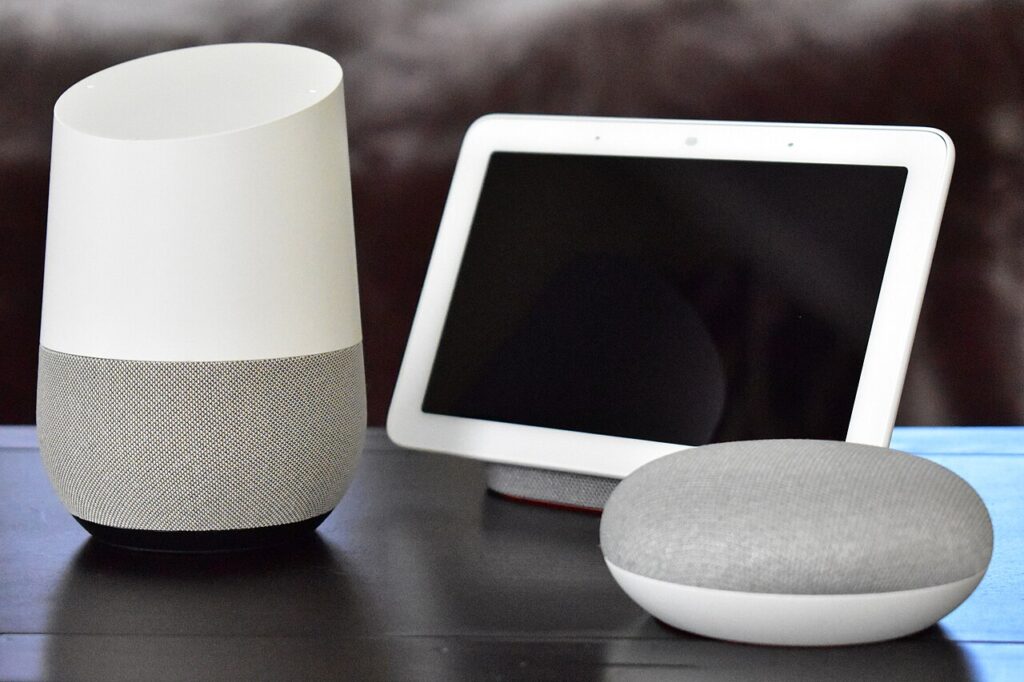
Most hubs today are also the speaker you talk to. An Echo, a Nest Hub, and a HomePod are all three things at once: a voice assistant, a speaker, and a hub. That is why the “which hub” question and the “which voice assistant” question are really the same question for most people.
A hub also handles the radio languages your devices speak. Wi-Fi is one of them, but many smart devices use Zigbee, Thread, or Z-Wave instead, because those use less power and form a mesh that reaches further through a house. A good hub speaks several of these at once, so you are not locked into one brand’s gadgets.
One more job matters in 2026: Matter. Matter is the shared standard backed by Amazon, Google, Apple, and Samsung, and a Matter controller (built into all four hubs in this guide) lets devices from different brands work together. If a device carries the Matter logo, it should work with any of these hubs.
Do you still need a hub in 2026?
Honest answer: less often than you used to — but usually still yes.
Matter and Thread have made it possible to run a small setup with no dedicated hub at all. A few Wi-Fi bulbs and a smart plug can work from your phone alone. If that is all you want, you can skip the hub and save the money.
But the moment you want more than a couple of devices, a hub earns its place. Here is when you need one:
- You want voice control. Shouting at your phone is not a smart home. A hub with a microphone is the difference.
- You want automations. “Turn the porch light on at sunset” or “lock the door when I leave” needs something always listening and always on. Your phone is not always home; a hub is.
- You have Zigbee, Thread, or Z-Wave devices. These cannot talk to Wi-Fi directly. They need a hub with the right radio.
- You want it to work when the internet drops. Hubs with local control keep the lights working even when your broadband does not.
If none of that applies yet, start with one smart plug and add a hub later. If two or more apply, buy the hub first — it is the cheapest part of the whole setup, and everything else plugs into it.
The 4 hub options compared
This table is the whole guide in one place. Read the sections below it for the trade-offs that do not fit in a table.
| Hub | Voice assistant | Radios & standards | Local control | Monthly fee | Typical list price* |
|---|---|---|---|---|---|
| Amazon Echo Dot / Echo | Alexa | Wi-Fi, Matter, Thread (Echo 4th gen); Zigbee hub in Echo 4th gen | Mostly cloud | None | ~$50 Dot, ~$100 Echo |
| Google Nest Hub / Hub Max | Google Assistant | Wi-Fi, Matter, Thread border router | Mostly cloud | None | ~$100 Hub, ~$230 Hub Max |
| Apple HomePod mini / HomePod | Siri | Wi-Fi, Matter, Thread border router | Mostly local (HomeKit) | None | ~$99 mini, ~$299 HomePod |
| Home Assistant Green | None built in — add your own | Wi-Fi; Zigbee/Z-Wave/Matter/Thread with a dongle | Full local | None (open source) | ~$99 + dongle |
*Typical US list price at the time of writing. Sales regularly cut $20–$50 off these, so check the current price before you buy.
Amazon Echo (Alexa): the easiest place to start
Alexa works with more smart home devices than any other assistant — that is the simple reason the Echo is the default recommendation. If you buy a random smart bulb, plug, or lock, the odds are highest that it lists Alexa support first. You can check the current Echo line-up on Amazon’s Alexa page.
What it does well
Setup is the friendliest of the four. Plug in an Echo Dot, open the Alexa app, and it finds most devices by itself. Routines — Alexa’s version of automations — are easy to build in plain language, and the Echo 4th gen even has a Zigbee hub built in, so Zigbee bulbs and sensors connect directly with no extra hardware. If you already use Alexa for timers and music, the hub part costs you nothing extra to learn.
The Echo is also the cheapest way in. A Dot regularly sells for around $50 at list price and less on sale, so a two-room starter setup costs less than a single HomePod mini. And if you want to see what you are doing, the Echo Show models add a screen for a video doorbell feed or a camera view.
Where it falls short
Alexa leans on Amazon’s cloud more than Apple or Home Assistant do. If your internet goes down, voice control mostly stops with it. Privacy-minded households should know that voice requests are processed in the cloud, and you should read the privacy settings before you put an Echo in a bedroom. None of that is a deal-breaker for most people, but it is a real trade-off against the local-first options below.
Already have Alexa bulbs? Our guide to setting up smart bulbs with Alexa walks through the exact steps.
Google Home (Nest Hub): best if your life runs on Google
If your household uses Android phones, Gmail, and Google Calendar, the Nest Hub feels like it was made for you — because it was. It answers with your calendar, your photos, and your YouTube, and it controls the same Matter and Thread devices as the Echo. The current range is on Google’s Home page.
What it does well
The Nest Hub’s screen is its best feature. It shows your doorbell camera, your calendar for the day, and your photos when idle — it works as a kitchen display in a way a speaker-only hub cannot. It is also a Thread border router and Matter controller, so Thread devices connect directly. Voice recognition is strong, and it handles follow-up questions and multiple people in the house well.
Where it falls short
Google’s smart home app has been reorganised several times, and some long-time users feel the controls are less straightforward than they were. The Nest Hub Max, with its camera, costs around $230 — a lot for a hub — while the regular Nest Hub at around $100 has no camera at all, which some people see as a plus and some as a missing feature. Like Alexa, it depends heavily on the cloud, so an internet outage takes voice control down with it.
Our guide to setting up smart bulbs with Google Home covers the first fifteen minutes step by step.
Apple HomePod: the best hub for iPhone homes — with one catch
If everyone in your house uses an iPhone, the HomePod mini is the most elegant hub you can buy. It is also the only hub in this guide that keeps most of its work local: HomeKit automations keep running even when your internet does not, and Apple processes Siri requests with more on-device handling than its rivals. See the current models on Apple’s Home app page.
What it does well
Setup is almost invisible. Hold an iPhone near a HomePod mini and it configures itself. It is a Thread border router and Matter controller, so modern Thread devices join directly. Sound quality is genuinely good for the size — the mini at around $99 sounds better than speakers twice its price, and a pair of them makes a solid TV setup. For a household that already lives in Apple’s world, nothing else fits as neatly.
Where it falls short
The catch is compatibility. Siri works with fewer smart home brands than Alexa or Google Assistant, so you must check that every device you buy lists HomeKit or Matter support — a device that is “Alexa and Google only” simply will not work. The full-size HomePod at around $299 is expensive for a hub, and Siri is less flexible than Alexa or Google Assistant at answering general questions. If anyone in the house uses Android, the HomePod is the wrong pick.
Home Assistant: the most powerful hub, and the most work
Home Assistant is not a speaker and not a single company’s product. It is open-source software that runs on a small computer — the Home Assistant Green, at around $99, is the ready-made version — and it talks to almost everything: Zigbee, Z-Wave, Matter, Thread (with a dongle), and hundreds of brands, all processed locally in your own home. Start at home-assistant.io if you want to see what it can do before you buy the hardware.
What it does well
Nothing else comes close on control. Your automations run without any cloud, your data stays at home, and you can mix brands freely — an IKEA sensor, a Philips bulb, and a cheap Zigbee plug in one routine. There is no monthly fee, no account that can be shut down, and no company deciding which devices you are allowed to use. For people who enjoy tinkering, it is the endgame.
Where it falls short
It is the most work by a long way. There is no voice assistant built in — you add one separately if you want it — and setup involves more reading and troubleshooting than any of the other three. Zigbee and Z-Wave need a USB dongle, and some integrations need occasional maintenance after updates. If you want a hub that just works on day one, this is not it. If you want the hub you will still be happy with in three years, it might be.
Want to understand the standards first? Our Matter and Thread lighting guide explains the two technologies Home Assistant is built around, in plain English.
How to set up your first hub in one afternoon
You do not need a weekend. One quiet afternoon is enough to go from a box to a working voice-controlled room.
- Pick your ecosystem first. Choose the assistant you already use most — Alexa, Google, or Siri. Switching ecosystems later means re-setting up everything, so this is the one decision worth ten minutes of thought.
- Put the hub in a central room. A living room or kitchen works best. Keep it away from the TV speakers and out of the bedroom if you are privacy-conscious.
- Connect it to your 2.4 GHz Wi-Fi network. Most smart devices prefer 2.4 GHz over 5 GHz. If your router merges the two bands into one network name, check our 2.4 GHz vs 5 GHz setup checklist before you start — it saves the most common setup headache.
- Add one room of devices first. Two bulbs and one smart plug. Get those working perfectly before you buy anything else.
- Name everything the way you speak. “Living room lamp” works; “Bulb 7” does not. Rename devices in the app the day you install them.
- Build one routine. Start with “good night” — one phrase that turns everything off. One working routine teaches you more than ten half-built ones.
- Write down what you bought and where it lives. Six months from now, when a bulb stops responding, you will be glad you did.
That is the whole setup. Anything beyond this — more rooms, more routines, cameras — is just repeating steps 4 to 6.
Renting? Here’s what changes
Almost nothing — and that is the good news. A hub is the most renter-friendly smart home purchase there is: it sits on a shelf, plugs into a normal socket, and leaves with you when you move. No drilling, no wiring, no landlord permission needed.
Take a typical two-bedroom rental. One Echo Dot or Nest Hub in the living room, two smart bulbs in the lamps you already own, and one smart plug on the fan or heater. Nothing is screwed into a wall, nothing is wired into the ceiling, and your deposit is untouched. When you move, the hub and the bulbs go in a box and the flat looks exactly as it did.
Two things renters should check before buying. First, skip anything that needs a wired switch or a neutral wire — stick to bulbs and plugs. Second, if your building’s Wi-Fi is shared or locked down, a hub that works over your own mobile hotspot will frustrate you; in that case, buy the hub after you have your own router sorted. The hub itself is never the problem — the network is.
Which hub should you buy?
If you have read this far and still want a straight answer, here it is.
| If your situation is… | Buy this | Why |
|---|---|---|
| You want the easiest, cheapest start | Amazon Echo Dot (~$50) | Widest device support, lowest price, simplest setup |
| Your household runs on Google | Google Nest Hub (~$100) | Calendar, photos, and doorbell on one screen |
| Everyone uses iPhones | Apple HomePod mini (~$99) | Best local control, invisible setup, great sound |
| You want no cloud, full control | Home Assistant Green (~$99) | Everything local, no fees, works with everything |
| You rent and want zero risk | Any of the three speakers above | No wiring, no drilling, moves with you |
| You already own one brand’s devices | That brand’s hub | Switching ecosystems costs more than the hub saves |
Still deciding between speakers for each room? Our best smart speakers for every room guide picks the right speaker size for bedrooms, kitchens, and living rooms.
Frequently asked questions
Do I need a hub if my devices support Matter?
Not always. A couple of Wi-Fi Matter devices can work from your phone alone. But you still need a Matter controller — which is what a hub is — for voice control, automations, and Thread devices. For most homes, the hub is still the piece that makes it all work together.
Can I mix Alexa and Google Home in one house?
Yes, and many households do — an Echo in the living room and a Nest Hub in the kitchen, for example. It works, but it is messier: you maintain two apps, two sets of routines, and you have to remember which assistant is in which room. One ecosystem is simpler; two is workable if different people in the house prefer different assistants.
Does a smart home hub need a subscription?
No. None of the four hubs in this guide charges a monthly fee for basic use. Some brands sell optional extras — cloud camera recording is the common one — but the hub itself, voice control, and routines cost nothing beyond the purchase price.
Will a hub work in a rental flat?
Yes. Hubs sit on a shelf and plug into a normal socket, so there is nothing to install, no drilling, and no wiring. Bulbs and plugs are the renter-safe devices to pair with one; skip anything that needs a wired switch.
What is the cheapest good hub to start with?
The Amazon Echo Dot, at around $50 list price and often less on sale. It is the lowest-cost way to get voice control, routines, and Matter support in one device, and if you outgrow it, it still works fine as a bedroom speaker.
The bottom line
Buy the hub that matches the assistant you already use: Alexa for most people, Google for Google households, Apple for iPhone households, and Home Assistant if you want full local control and do not mind the setup. A hub costs less than most of the devices it controls, and it is the one purchase that makes everything else easier. Pick one, set it up in an afternoon, start with one room — and let the rest of the house follow when it is ready.